
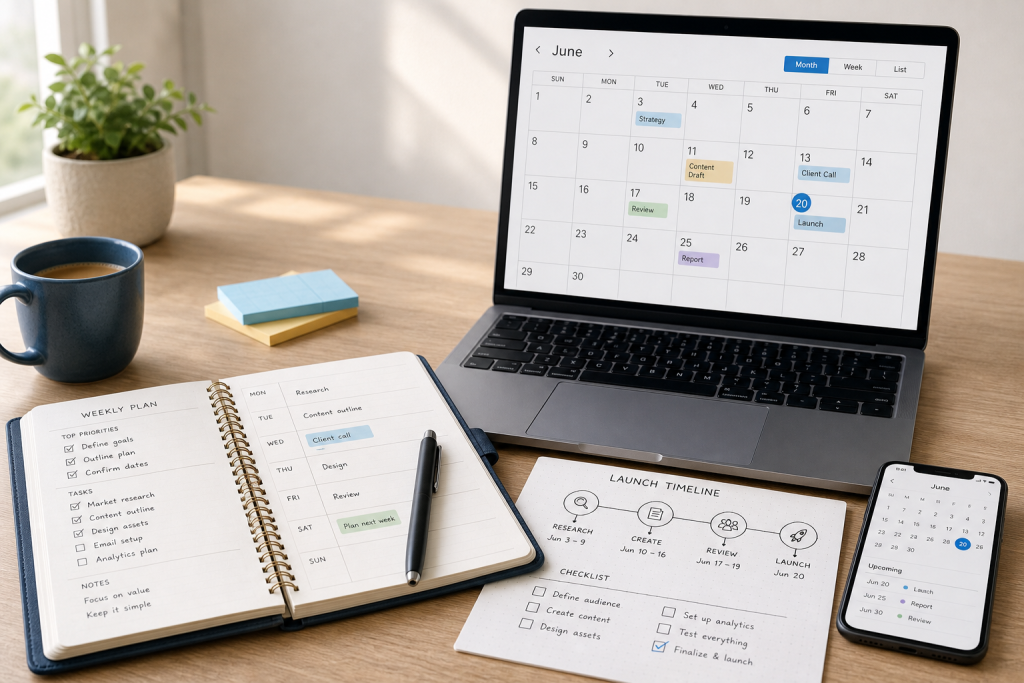
Many business tasks look simple until you have to put real dates on them. It is easy to say a launch will happen “in three weeks” or that a draft will be ready “by the end of the month,” but those rough estimates can quickly create confusion when multiple steps, revisions, approvals, and handoffs are involved.
That is why simple date math matters more than many business owners realize. Whether you work alone or coordinate with clients, contractors, or a small team, accurate timing affects the quality of planning. A missed assumption about a deadline can ripple into late deliverables, rushed reviews, or unrealistic campaign schedules.
Using a date calculator first helps reduce that friction. Instead of opening a calendar and manually counting days, you can quickly check timeline assumptions and move forward with more confidence. A tool like the Free Business Date Calculator for business planning fits naturally into everyday operations because it supports one of the most common hidden tasks in business: working out dates before you commit to a plan.
Here are seven business tasks that become easier when you calculate the dates first instead of relying on guesswork.
1. Planning a product or service launch timeline
Launches rarely depend on a single date. Even a small offer launch can include writing, design, approvals, email scheduling, landing page setup, testing, and follow-up communication. When you start with only the public launch day in mind, it is easy to underestimate how much time each step needs.
A date calculator helps you work backward or forward from a target point so your timeline is based on actual intervals rather than instinct. That makes it easier to see whether your schedule is realistic before you announce anything.
Useful launch checkpoints to calculate
- Content drafting deadlines
- Page review and approval windows
- Email sequence scheduling dates
- Asset handoff dates for designers or assistants
- Testing and final check periods
For freelancers, consultants, and digital product creators, this kind of planning can prevent a common problem: committing to a launch date before the build timeline has been checked carefully.
2. Setting client delivery windows
Client work often sounds straightforward at the proposal stage. You may promise a report in 10 days, a website draft in two weeks, or a strategy package by a certain date. But those promises are only useful if the timeline has been calculated clearly.
When you use a date calculator first, you can turn vague commitments into specific delivery windows. That helps you communicate with more precision and reduces the risk of over-promising simply because a date “felt right” in the moment.
This is especially useful when you manage several active projects at once. Instead of estimating based on memory, you can check exact timing before confirming:
- Project start dates
- Draft delivery targets
- Final delivery windows
- Follow-up support periods
- Check-in milestones
Clear delivery windows also improve client trust. Even when the work itself is complex, the schedule feels more professional when it is based on planning rather than informal calendar math.
3. Scheduling review and revision periods
One of the most overlooked parts of project planning is the revision window. Many people schedule the creation phase and the final due date but forget to account for the time needed for feedback, updates, and re-approval.
That gap causes avoidable stress. If a client needs three business days to review a draft and you need two more days to make revisions, those dates should be part of the schedule from the start, not added later as a surprise.
Using a date calculator first makes planning much easier because you can map the intervals between:
- Draft submission
- Client or stakeholder review
- Revision work
- Final approval
- Delivery or publication
This is useful for consultants, copywriters, designers, marketers, and anyone else whose work moves through approval stages. The more moving parts a project has, the more valuable it becomes to check the timing before promising a final delivery date.
4. Estimating campaign milestones
Marketing campaigns often involve several dates that need to align: planning, content creation, scheduling, launch, optimization, and wrap-up. If even one of those checkpoints is misjudged, the whole campaign can feel rushed.
A date calculator can act as a quick planning companion when you need to estimate milestone timing without overcomplicating the process. Rather than opening multiple tools to answer a simple question like “What date is two weeks before launch?” or “How far apart are these campaign stages?” you can get a quick answer and keep moving.
Campaign tasks that benefit from date checks
- Content production deadlines
- Ad creative review dates
- Email send preparation windows
- Reporting checkpoints
- Post-campaign analysis timing
For online marketers and project managers, this can be especially helpful during busy planning periods when several campaigns overlap. Even a fast date check can prevent timeline stacking and give you a clearer view of what needs to happen next.
5. Coordinating recurring admin deadlines
Not every important business task is client-facing or revenue-generating. Administrative work also runs on dates, and those dates are easy to lose track of when your calendar is full of delivery work.
Recurring admin deadlines may include internal reports, routine planning sessions, content updates, invoicing cycles, or regular operational reviews. These are the kinds of tasks that often get delayed not because they are difficult, but because nobody paused to clearly calculate the next checkpoint.
Using a date calculator first can help you set or confirm recurring timing more consistently. That matters because admin drift creates clutter. When internal business tasks slip repeatedly, they tend to create downstream problems in reporting, communication, and planning.
Examples include:
- Monthly planning checkpoints
- Quarterly review preparation
- Recurring invoice follow-up dates
- Internal documentation update schedules
- Routine business maintenance tasks
For solo operators, this supports structure. For small teams, it creates a shared planning reference that is easier to follow than loose verbal timing.
6. Planning shipping or fulfillment checkpoints
If your business sells physical products, kits, printed materials, or custom items, fulfillment timing matters just as much as marketing timing. Even digital product creators may have workflows that involve delivery stages, onboarding windows, or access milestones that need date-based planning.
A date calculator can help you estimate key checkpoints before you communicate them publicly or build them into a process. That can make your operations feel more organized and reduce confusion about what should happen when.
Common fulfillment-related dates to check
- Order processing windows
- Packaging or prep milestones
- Dispatch target dates
- Follow-up communication timing
- Post-delivery check-in dates
Even if a calculator is only used as a quick reference point, it can still reduce mistakes that happen when you count manually during a busy day. That is often enough to make the difference between a smooth timeline and an avoidable scheduling issue.
7. Checking internal project handoff dates
Many business workflows depend on handoffs. A strategist passes a brief to a writer; a writer sends a draft to an editor; a designer prepares assets for a developer; or an assistant schedules approved content after review. When handoff dates are unclear, delays compound quickly.
This is one of the strongest reasons to calculate dates before a project begins. Handoff timing is not just about the final deadline. It is about making sure each contributor has enough time to do their part without creating a bottleneck for the next person.
When checking handoff dates, it helps to calculate:
- When one task must be completed for the next to begin
- How much buffer is available between stages
- Whether the final due date still works after revisions
- How schedule changes affect downstream deadlines
For project managers and small teams, this kind of date clarity supports smoother execution. For freelancers who collaborate with contractors or client-side teams, it helps prevent misunderstanding around who is waiting on what.
How to use a free business date calculator as a quick planning companion
The value of a date calculator is not that it replaces your full planning system. Its value lies in removing one small but recurring source of friction: manual date counting.
You can use a simple business-focused date tool at the moment a timeline question appears, such as:
- Before you promise a delivery date
- Before you publish a launch schedule
- Before you set review or revision windows
- Before you assign internal milestones
- Before you confirm recurring process checkpoints
This works well because many schedule problems begin with a rough assumption. Once that assumption is written into an email, contract, plan, or task list, it becomes harder to correct without creating confusion. A quick date check upfront helps you avoid that issue.
If you want a simple, low-friction option, the Free Business Date Calculator is designed as a practical utility for business planning. It can be a useful companion when you need to estimate deadlines, check milestone timing, or confirm scheduling assumptions before locking them into your workflow.
Reduce friction by checking dates before committing
Date math may seem like a small operational detail, but it appears in more business decisions than most people notice. Launches, client work, revisions, campaigns, admin cycles, fulfillment steps, and internal handoffs all become easier to manage when the timing has been checked first.
The goal is not to create a more complicated process. It is to make everyday planning more reliable. When you stop guessing and start confirming, you reduce avoidable mistakes and make your schedule easier to trust.
If you regularly work with deadlines, milestones, or delivery windows, use the Free Business Date Calculator as a quick planning step before you commit to dates. It is a simple way to bring more clarity to the business tasks you already handle every week.




Discussion
Comments