
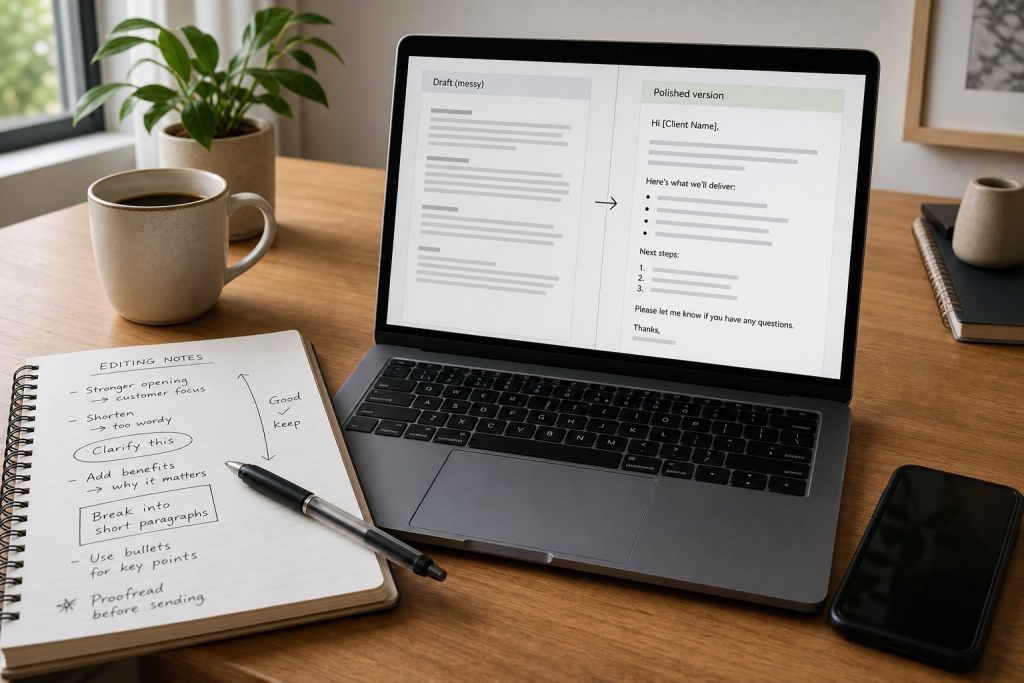
Most business writing does not begin polished. It starts as a fast draft, a pasted note, a reply written between meetings, or an AI-assisted rough version that still feels uneven. That is normal. The problem comes when a rough copy goes out the door unchanged.
Client-facing text shapes how people read your professionalism, attention to detail, and clarity. Even when your ideas are strong, messy formatting, awkward structure, and rushed phrasing can make the message feel harder to trust. A long unbroken paragraph can hide key points. Inconsistent spacing can make a proposal feel unfinished. A vague opening can force the reader to work too hard.
The good news is that you do not need a complicated editing process to improve short business text. In most cases, a brief cleanup pass is enough to make your message easier to scan, understand, and act on. If you regularly send client emails, updates, proposals, or short marketing blurbs, building a repeatable cleanup workflow can save time while helping your communication look more polished.
Why rough drafts weaken professional communication
Clients are usually reading quickly. They are checking for the main point, deadlines, decisions, next steps, and whether your message feels organized. If your writing makes them slow down for the wrong reasons, the message loses impact.
A rough copy often contains ideas in the right order in your head, but not yet on the page. That gap creates friction. Instead of guiding the reader smoothly, the draft may feel scattered or unfinished.
This does not mean every message needs heavy editing. It means short business writing benefits from basic cleanup before sending. A few minutes spent on readability can improve how your work is received.
Common problems in messy business copy
Most rough business text runs into the same set of issues. Once you know what to look for, cleanup gets faster.
Walls of text
A dense paragraph can make a simple update feel overwhelming. If the reader cannot quickly spot the key point, they may miss details or delay responding.
Inconsistent spacing and formatting
Extra line breaks, uneven spacing, and inconsistent list structure make copy look rushed. The content may be fine, but the presentation reduces clarity.
Unclear structure
Many drafts mix context, requests, updates, and next steps together. That forces the reader to sort out the message themselves rather than follow a clear path.
Rushed phrasing
Rough drafts often include repeated words, vague statements, abrupt transitions, and filler sentences. These do not always make the copy incorrect, but they can make it feel less confident.
Missing emphasis on action
Business writing often exists to move something forward. If the action item, timeline, or requested reply is buried, the message becomes less useful.
When business text needs a cleanup pass
Not every internal note needs polishing, but client-facing writing almost always benefits from a quick review. A cleanup pass is especially useful when you are sending:
- Client emails with updates, timelines, or requests
- Proposals or service summaries
- Project status notes
- Follow-up messages after calls or meetings
- Short marketing blurbs or offer descriptions
- AI-generated business drafts that need human polish
If a message represents your work, explains your value, or asks the reader to make a decision, it is worth cleaning up first.
A simple 5-step workflow to improve readability
The goal is not to turn every message into a formal document. The goal is to make a rough copy clean, clear, and presentable with minimal effort.
1. Identify the main purpose before you edit
Before changing the words, ask: what is this message supposed to do?
Usually the answer is one of these:
- Inform the client
- Ask for approval or input
- Confirm a decision
- Summarize progress
- Present an offer or scope
Once the purpose is clear, you can shape the text around it. This step prevents overediting by stopping you from trying to improve everything at once. Instead, you focus on whether the copy supports the outcome you need.
2. Break the text into readable sections
Next, improve the visual structure. This is often the fastest win.
Look for long blocks of text and split them into shorter paragraphs. If the draft covers multiple points, separate them so each section handles one idea. Where appropriate, use a simple list for deliverables, next steps, dates, or decision points.
Good structure helps the reader find:
- The reason for the message
- The important details
- Any actions they need to take
- What happens next
For short business writing, readability is often more important than elegance. Clean structure makes average copy more useful immediately.
3. Tighten phrasing and remove clutter
Once the layout is clearer, edit the sentences. You are not doing a deep line edit. You are removing friction.
Look for:
- Repeated ideas
- Unnecessary filler
- Sentences that try to do too much at once
- Vague wording that can be made more direct
- Openings that bury the main point
For example, instead of circling toward the update slowly, lead with it. Instead of a long sentence with multiple side notes, split it into two simpler lines. Short business copy usually improves when it becomes more direct.
This step also helps AI-assisted drafts. AI text often contains decent information but weak pacing or repetitive phrasing. A quick cleanup pass can make it sound more natural and easier to use.
4. Make actions and decisions easy to spot
If the reader needs to reply, approve, choose, or review something, make that visible. Do not hide it in the middle of a paragraph.
You can do this by:
- Putting the request near the end of the message
- Using a short list for options or next steps
- Separating deadlines from background details
- Stating clearly what you need from the client
Many business messages feel messy simply because the action point is buried. Bringing it forward makes the entire message feel more professional.
5. Run a final formatting pass
After the wording is mostly set, do a final cleanup for presentation. This is where a lightweight formatting tool can fit naturally into your workflow.
If you have rough text that needs to look cleaner and more organized, a simple utility like the Free Business Text Formatter for cleaning up business copy can be a practical last step before you send or publish it. For freelancers, consultants, virtual assistants, and small business owners, that kind of browser-based helper can be useful when you want a faster cleanup process without switching to heavier software.
A formatting pass is especially helpful when your draft started as pasted notes, mixed formatting, or AI-generated text that still needs better presentation. The point is not to replace judgment. It is to make the copy easier to scan and more consistent before it reaches a client.
How to apply this workflow to common business writing
Emails
For client emails, clarity matters more than cleverness. Start with the purpose, keep paragraphs short, and make any request obvious. If the message includes dates, deliverables, or options, consider using a list instead of hiding them in a paragraph.
Proposals
Proposal drafts often become messy because they combine scope, process, pricing context, timing, and benefits too early. Even in a short proposal summary, clearly separate the sections. The reader should be able to identify what is being offered, what is included, and the next step.
Client updates
Status messages work best when organized into a simple pattern: what was completed, what is in progress, what needs attention, and what comes next. A clean structure reduces back-and-forth and helps clients understand progress quickly.
Short marketing blurbs
Small business blurbs for offers, landing page snippets, or service descriptions often start too broad. Cleanup usually means making the core message more visible, reducing fluff, and improving scannability. Short copy still needs structure.
Where a lightweight formatting tool fits in
Many people do not need a full writing platform every time they polish a short message. Sometimes they need a quick way to make text look cleaner and easier to use.
That is where a simple formatting utility fits best. It can support the middle ground between a raw draft and a final send. If your workflow includes rough notes, repeated client communication, or business text copied from multiple sources, a lightweight tool can help you present that copy more clearly with less manual cleanup.
Used well, this kind of tool supports speed and consistency. It is not a substitute for thinking, and it does not remove the need to proofread. It simply makes the formatting step easier to repeat.
What to check manually after formatting
Even after the text looks cleaner, do one final human review. Formatting improves presentation, but you still need to confirm meaning.
Before sending, check:
- Names, dates, and project details
- Whether the main point appears early enough
- Whether the action item is clear
- Tone for the specific client relationship
- Any sentence that sounds too abrupt or too vague
- Typos or missing words
This final pass should be quick. You are not rebuilding the draft. You are making sure the finished version is accurate, clear, and appropriate for the situation.
Build a repeatable cleanup habit.
The biggest improvement in business writing often comes from process, not talent. When you use the same cleanup steps each time, rough drafts become easier to manage and finish faster.
A practical habit might look like this: draft quickly, identify the purpose, improve structure, tighten phrasing, format for readability, then do a final manual check. That is enough to raise the quality of everyday client communication without turning every message into a major editing project.
If you regularly send business text that starts rough and needs a cleaner presentation, try the Free Business Text Formatter as a simple final cleanup step before you send your next client message.



Discussion
Comments